OpenCart Migration Tools
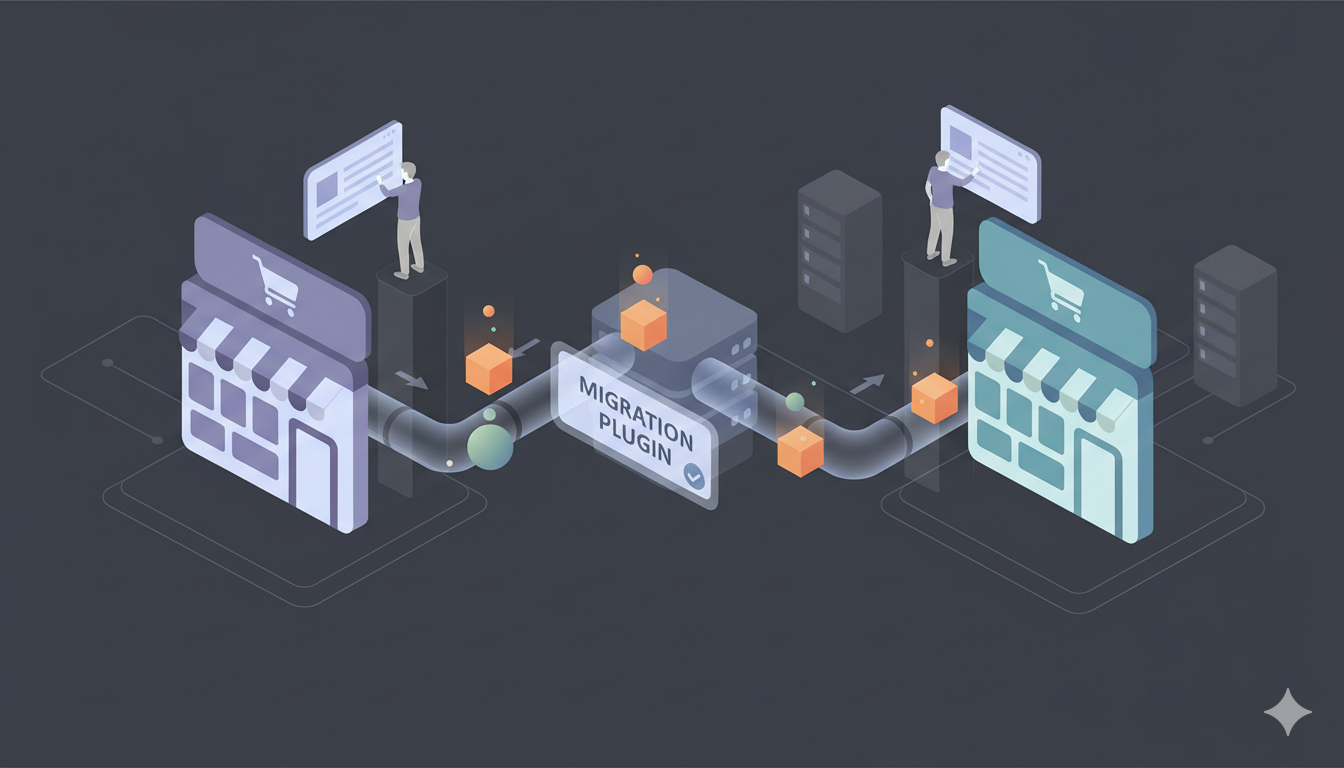
In the dynamic world of eCommerce, staying static is often synonymous with falling behind. Whether you are moving from hosted platforms like Shopify and BigCommerce, or open-source platforms like Magento and PrestaShop, migrating to OpenCart offers a powerful, open-source solution with unlimited products, full customization, and MySQL database flexibility. The vehicle of your transition matters. That vehicle is the Migration Tool.
In 2025, the ecosystem of OpenCart migration tools has matured significantly. Gone are the days of manually copying CSV files and praying for the best. Today's tools utilize sophisticated bridge extensions, REST API connections, and intelligent data mapping to ensure accuracy. However, not all tools are created equal. A tool designed for one platform may not work for another, and OpenCart's MySQL database structure requires proper handling of product options and relationships.
This comprehensive guide dissects the top contenders in the market. We have categorized them by use case, analyzed their technical architecture, and weighed their pros and cons to help you make an informed decision for your business.
Part 1: Platform-to-opencart Migrators (Re-platforming)
Use Case: You are moving from a different system (Shopify, Magento, BigCommerce, PrestaShop) to OpenCart. You need to translate data from Format A to Format B.
1. Shopping Cart Mover (Automated Service)
Type: Automated Cloud Migration Service
Best For: Business owners who need a "Done-For-You" result without hiring an agency.
As the proprietary tool for the Shopping Cart Mover Hub, this service acts as a bridge between your source platform and OpenCart. Unlike manual CSV imports that rely on your time and Excel skills, Shopping Cart Mover uses a dedicated cloud engine. This engine handles the heavy lifting of pulling data from your source store (e.g., Shopify, Magento), restructuring it to match OpenCart's MySQL database structure, and pushing it into your OpenCart store via bridge extension or REST API.
Key Features:
- Broad Platform Support: Supports migration from over 85 different carts, including obscure or legacy platforms like Zen Cart, OsCommerce, and Volusion.
- Targeted Data Mapping: Allows for granular control. You can map "Customer Group A" in Magento to OpenCart's customer structure.
- Recent Data Migration: A standout feature for 2025. After your full migration, you can run a "smart update" that only fetches new orders or customers that were created while you were setting up your new store, ensuring zero data loss.
- 301 Redirect Automation: It can automatically create redirects from your old URLs to your new OpenCart URLs, preserving your SEO rankings.
- MySQL Database Handling: Automatically handles OpenCart's MySQL database structure, preserving product options, categories, and relationships.
- Password Migration: Supports customer password migration with the OpenCart bridge extension (recommended feature).
💰 Pricing Breakdown
Shopping Cart Mover operates on a "Pay per Entity" model, meaning you only pay for the data you actually move. There are no monthly subscriptions.
- Demo Migration: Free (Moves roughly 10-20 products/orders for testing).
- Basic Migration: Starts at $69 USD (One-time fee).
- Scaling Cost: The price increases based on the volume of data. For example, a store with 500 products might cost ~$89, while a store with 10,000 products might range between $149 - $299.
- Additional Options: SEO 301 Redirects usually adds a small flat fee (approx. $19-$29). Password migration is available with the bridge extension.
Pros & Cons:
- No technical skills required; fully wizard-based.
- Does not use your local resources, preventing crashes.
- Handles OpenCart's MySQL database structure automatically.
- 24/7 technical support is included with the migration package.
- Supports unlimited product options (OpenCart's strength).
- Password migration supported with bridge extension.
- It is not a "one-click" free tool; it is a premium service.
- Design and template elements are not migrated (data only). OpenCart uses themes, not code-based designs.
- Requires bridge extension installation on OpenCart.
Verdict: The industry standard for serious businesses moving from hosted platforms or other CMSs to OpenCart. It offers the highest data fidelity and handles OpenCart's MySQL database structure automatically.
2. OpenCart Built-in Import/Export
Type: Native OpenCart Feature
Best For: Small stores with simple product catalogs and basic data.
OpenCart includes built-in import/export functionality in the admin panel. This is the "free" option, but it comes with significant limitations for complex migrations.
Key Features:
- Product Import: Can import products, prices, SKUs, and basic descriptions via CSV.
- Category Mapping: Allows you to assign products to categories (OpenCart's terminology).
- Image URLs: Can import image URLs, but images must be uploaded to OpenCart's image directory.
💰 Pricing Breakdown
Price: Free (included with OpenCart installation)
However, the "hidden" cost is your time and the risk of data loss.
Pros & Cons:
- Completely free (no additional cost).
- Direct control over your data.
- No third-party tools required.
- Limited to basic product data.
- No customer or order migration.
- No password migration.
- High risk of data formatting errors.
- Images often fail to import correctly.
- Time-consuming for large catalogs.
- Does not handle complex product options well.
Verdict: Only suitable for very small stores (under 100 simple products) with no order history or customer data to migrate. For anything more complex, use an automated service.
3. Cart2Cart for OpenCart
Type: Automated Cloud Migration Service
Best For: Businesses needing reliable, tested migration with support.
Cart2Cart is one of the oldest and most established migration services. They support OpenCart as a target platform and handle the complexity of data mapping automatically.
Key Features:
- Platform Support: Supports migration from 85+ platforms to OpenCart.
- MySQL Database Handling: Automatically handles OpenCart's MySQL database structure.
- Image Migration: Downloads and re-uploads images to OpenCart's image directory.
- Product Options: Handles OpenCart's unlimited product options system.
- Password Migration: Supports customer password migration with bridge extension.
💰 Pricing Breakdown
Cart2Cart uses a pay-per-entity model similar to Shopping Cart Mover.
- Starting Price: ~$69 USD for small stores.
- Mid-Size Stores: $149 - $249 USD.
- Enterprise: $400+ USD.
- Add-ons: 301 Redirects, Order ID preservation, Password migration, etc. add $19-$59 each.
Pros & Cons:
- Well-established and reliable.
- 24/7 support available.
- Handles OpenCart's MySQL structure automatically.
- Free demo migration available.
- Password migration supported.
- More expensive than some alternatives.
- Add-ons can significantly increase cost.
- Requires bridge extension installation.
Verdict: A solid choice for businesses that want a proven, reliable service with good support. However, pricing can add up with add-ons.
Part 2: OpenCart Extension Marketplace
Use Case: You need extensions from OpenCart's Extension Marketplace to enhance your store functionality or assist with data management.
4. OpenCart Extension Marketplace - Data Management Extensions
Type: OpenCart Extensions
Best For: Ongoing data management and bulk operations after migration.
OpenCart's Extension Marketplace offers various extensions for product management, inventory sync, and data import/export. These are useful for ongoing operations but are not typically designed for full platform migrations.
Key Features:
- Product Management: Extensions for bulk editing products, managing inventory, and organizing categories.
- Import/Export: Some extensions offer enhanced CSV import/export capabilities beyond OpenCart's built-in feature.
- Inventory Sync: Extensions that sync inventory with external systems or suppliers.
💰 Pricing Breakdown
OpenCart Extension Marketplace extensions use various pricing models:
- Free Extensions: Many basic extensions are free.
- Freemium: Free with paid upgrades for advanced features.
- Paid Extensions: Typically $20 - $200 one-time or $5 - $50/month depending on features.
Pros & Cons:
- Integrated with OpenCart platform.
- Easy to install and use.
- Good for ongoing operations.
- Not designed for full platform migrations.
- Limited to OpenCart's capabilities.
- Monthly subscription costs can add up.
Verdict: Useful for post-migration data management and ongoing operations, but not suitable for initial platform migration.
Part 3: Custom Development & Scripts
Use Case: You have complex data requirements or need custom integration that standard tools cannot handle.
5. Custom Migration Scripts
Type: Custom Development
Best For: Developers and agencies with specific requirements.
Since OpenCart uses MySQL database and REST API, you can create custom scripts (PHP, Python, Node.js, etc.) to transform your source data into OpenCart's database structure or use the REST API for import.
Key Features:
- Full Control: Complete control over data transformation.
- Custom Logic: Can implement custom business rules during transformation.
- MySQL Direct Access: Can write directly to OpenCart's MySQL database.
- REST API Integration: Can use OpenCart's REST API for data import.
💰 Pricing Breakdown
Custom development costs vary significantly:
- Developer Time: $50 - $200/hour.
- Typical Project: $2,500 - $10,000+ depending on complexity.
- Ongoing Maintenance: May require updates if OpenCart changes database structure.
Pros & Cons:
- Complete customization possible.
- Can handle unique business requirements.
- Reusable for future migrations.
- Direct MySQL access for complex operations.
- Very expensive.
- Time-consuming to develop and test.
- Requires technical expertise (PHP, MySQL, REST API).
- Must account for OpenCart's database structure.
Verdict: Only recommended for enterprise-level migrations with unique requirements that cannot be handled by standard tools. For most businesses, automated services are more cost-effective.
Part 4: How to Choose the Right Tool?
With so many options, the choice comes down to your specific scenario. Here is our 2025 decision matrix:
Scenario A: "I am leaving Shopify/Magento/BigCommerce for OpenCart."
Do NOT use OpenCart's basic CSV import for complex migrations. The data structures are too different, and you will lose SEO rankings, image links, and product option relationships.
Solution: Use Shopping Cart Mover or Cart2Cart. The cost (starting ~$69) is negligible compared to the hours saved, and the "Recent Data Migration" feature ensures you don't lose sales during the switch. These tools handle OpenCart's MySQL database structure and product options automatically.
Scenario B: "I have a small store with simple products."
Consider: OpenCart's built-in CSV import if you have under 100 simple products with no variants.
Warning: You'll still need to manually handle images, customers, and orders. For anything more complex, use an automated service.
Scenario C: "I need to update stock levels from my supplier's list."
Do NOT use migration tools for routine inventory updates.
Solution: Use OpenCart's built-in import/export or an Extension Marketplace extension designed for inventory management. These are meant for ongoing operations, not initial migration.
Important OpenCart-Specific Considerations
1. Unlimited Product Options
OpenCart supports unlimited product options per product, which is a major advantage over many platforms. Complex variants (e.g., Size + Color + Material + Custom Text) can be fully migrated. Automated migration tools handle this automatically, but manual CSV imports may struggle with complex option structures.
2. Password Migration
Good News: OpenCart DOES support password migration with the bridge extension. Automated tools can migrate customer passwords, preserving customer access. This is a significant advantage over hosted platforms that don't support password migration.
3. Categories vs Collections
OpenCart uses "Categories" terminology (not "Collections"). Automated tools map categories correctly, but manual CSV imports require you to use OpenCart's category structure.
4. MySQL Database & REST API
OpenCart uses MySQL database with REST API support. Automated tools connect via bridge extensions or REST API, which is more robust than CSV-only imports. This allows for better data integrity and relationship preservation.
5. Multi-Store & Multi-Language
OpenCart has built-in multi-store and multi-language support. Automated tools can migrate data for multiple stores and languages, preserving this structure.
Final Thoughts
Migration is heart surgery for your business. The right tool acts as a skilled surgeon, performing the transplant with precision and minimal scarring. The wrong tool is a rusty scalpel.
At Shopping Cart Mover, we believe that moving to OpenCart should be straightforward and risk-free. By using our automated solution or one of the other excellent tools on this list, you can migrate with confidence. However, always ensure a complete backup before you begin—this is the golden rule of migration.
Ready to migrate? Start your Free Demo Migration today and see how your store looks on OpenCart.